
Enrolment
Applications, class placement, waitlists and level tests, decided by staff in one screen.
Payments and invoices
Bank transfers recorded once, family credit, numbered invoices the family downloads.
Attendance
Teachers fill in the class register on their phone; families report an absence ahead of time in the app.
Announcements and gallery
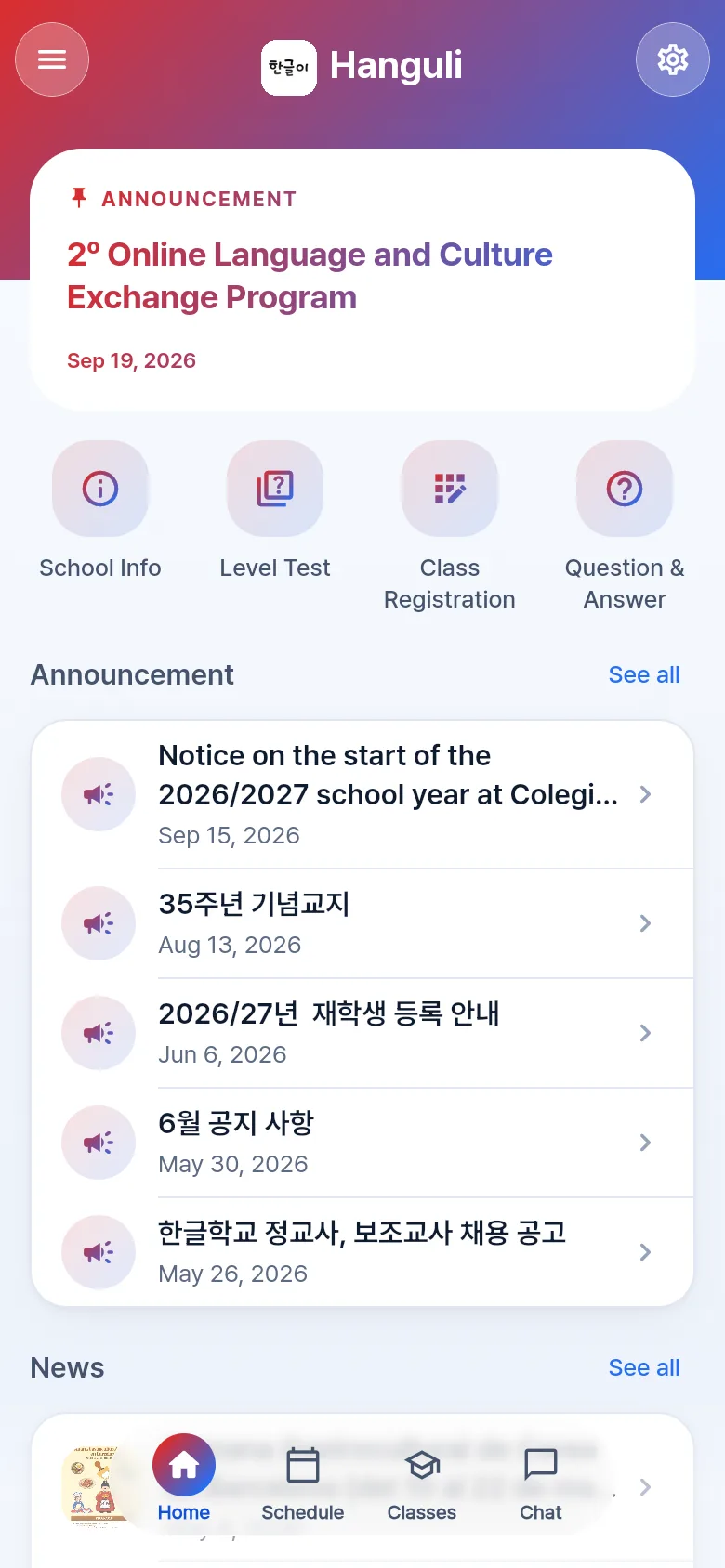
News, notices and photos with consent, in every language the school speaks.
Calendar
Term dates, holidays and events, shared with every family.
Chat
Families write to the office or, when a teacher opens it, to the teacher.
Accounts and ledger
Income and expenses, approvals and payouts flow into the school's ledger, with who approved and who paid on record.
Records and roles
Students, enrolments and payments stay with the school when the board changes, and each role sees only what it should.
OKA grant (재외동포청)
The student and staff rolls and the income and expenses the application and its report ask for, downloaded as Excel.
Who it is for
Families and students
Enrol yourself or your children, see classes and the calendar, pay and download invoices, read the school's news and message the office — in your own language.
Schools
Enrolment, attendance, payments, ledger and staff payouts in one office, with announcements, a calendar and a public website that Google can read.
How it starts
A school opens its account, chooses whether Hanguli is its website or only its app, and its families sign up on their phones. Nothing to install on the school's side.
Schools on Hanguli
Each school has its own address, colours and website.

Want to try Hanguli?
Write to us and we will tell you everything in detail.